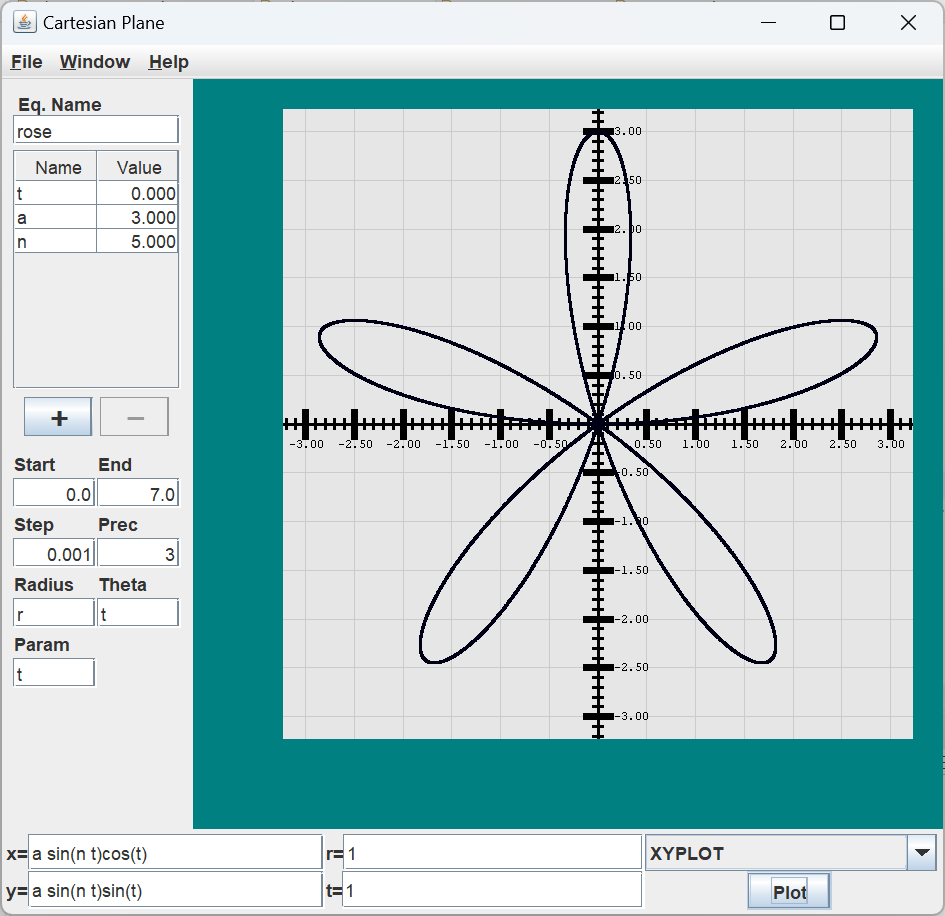
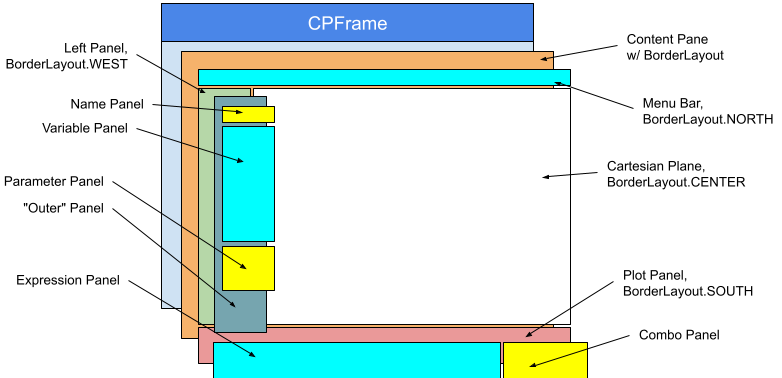
In this lesson, we will finish the major portions of the Cartesian plane GUI. When we’re finished, our application will appear as shown above. So far, we have completed the Cartesian plane panel (class CartesianPlane) and started the application menubar (class CPMenuBar). To complete the GUI, we must write the NamePanel, VariablePanel, ParameterPanel, and PlotPanel; then, we must assemble them into the main application window, which will be encapsulated by the class CPFrame. The figure at right represents a broad view of how the application window is laid out. If you want to see the completed GUI in action, you can run the application ShowCartesianPlane in the …cartesian_plane.app package.
Following is a summary of the pages composing this lesson.
- Page 2: Refactoring
- Page 3: Modifications to the Data Model; New Global Properties
- Page 4: Formatting and Validating Data: JFormattedTextField
- Page 5: Monitoring Keyboard Events: PIListener
- Page 6: The Plot Panel
- Page 7: Test Utilities for JFormattedTextFields
- Page 8: PlotPanel JUnit Test
- Page 9: The Parameter Panel
- Page 10: ParameterPanel JUnit Test
- Page 11: JTable
- Page 12: The Variable Panel
- Page 13: VariablePanel JUnit Test
- Page 14: The Name Panel
- Page 15: CPFrame, the Application Main Window
- Page 16: Completing the Application Menubar
- Page 17: Testing the Application Menubar DRAFT
- Page 18: Scaling and…
GitHub repository: Cartesian Plane Part 16
Previous lesson: Cartesian Plane Lesson 16 Page 16: The Application Menu Bar
On the next page, we’ll discuss some adjustments to the functions and features we implemented in previous lessons.