On this page, we will take a break from our project and discuss Interprocess Communications, also known as IPC. The concepts we discuss below will be crucial in completing the testing for our PropertyManager, but none of the code we examine will transfer directly into our PropertyManager test class. If you’re already familiar with IPC, you can skip this page and not miss the code that goes into the Cartesian Plane project.
Find additional references here:
- Javadoc Pages in the Java API:
- Process API from the Oracle Java Help Center, especially:
- From Baeldung:
GitHub repository: Cartesian Plane Part 7b
Previous lesson: Cartesian Plane Lesson 7: Property Management Page 2
Interprocess Communications In Java
Below, find an introduction to Interprocess Communications (IPC) in Java. We’ll start with a discussion of some terminology.
⬛ Introduction to Terminology
- Process: For our purposes, a process is a running program. If you start your favorite word processor, it runs in a process. If you start a spreadsheet program, you will have two processes: one for the word processor and another for the spreadsheet. You can start another instance of your word processor, in which case you will have three processes, including two different processes running a word processor.
- Pipe or Pipeline: A communications path between two processes.
- Spawn: The process whereby one process starts a second, independent process.
- Parent Process: A process that spawns another process.
- Child Process: The process spawned by a parent process.
- Subprocess: A child process is a subprocess of its parent.
- stdout: Common abbreviation for Standard Output Stream (below).
- Standard Output Stream: Encapsulated in System.out, this is the default target to which a program directs output. Typically, stdout is attached to a console window or a physical console. However, if a process spawns a child, stdout can be attached to the parent process and used to send data to the child.
- stdin: Common abbreviation for Standard Input Stream (below).
- Standard Input Stream: Encapsulated in System.in, this is the default means by which a program gathers input. Typically, stdin is attached to a computer keyboard. However, if a process spawns a child, stdin can be attached to the parent process and used to obtain data from the child.
⬛ Background
A program in Java can spawn a child process. In this context, it is fair to say that one Java program can start another Java program. This is accomplished via the Process API encapsulated in the java.lang.Process package. We will be using a limited subset of the API. Most of our activity will be concentrated on two classes: ProcessBuilder and Process.
⬛ Mechanics
Let’s look at a simple demo to describe how one process can spawn another. In the project sandbox, IPCDemo1Child is the process to be spawned. It looks like this:
public class IPCDemo1Child
{
    public static void main(String[] args)
    {
        String  arg     = args.length == 0 ? "No arg" : args[0];
        JOptionPane.showMessageDialog( null, arg );
        System.exit( 12 );
    }
}
This program displays its first command-line argument in a dialog and exits after the dialog is dismissed. Nothing special about this program makes it a “child process.” If you wish, you can run it from your IDE or a command line:
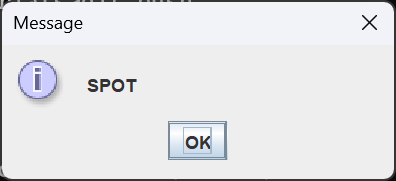
root> cd target\classes
target\classes> java com.acmemail.judah.cartesian_plane.sandbox.IPCDemo1Child SPOT
The parent process for this demo is encapsulated in IPCDemo1Parent. To simplify exception handling, all the important logic for this program is packed into the exec(Class<?> clazz)* helper method. The main method looks like this:
*Historical note: exec is the traditional name for a function that spawns a child process.
public class IPCDemo1Parent
{
    public static void main(String[] args)
    {
        try
        {
            exec( IPCDemo1Child.class );
        }
        catch ( IOException | InterruptedException exc )
        {
            exc.printStackTrace();
        }
    }
    // ...
}
Here is the annotated listing of the parent process’s exec method.
1 2 3 4 5 6 7 8 9 10 11 12 13 14 15 16 17 18 19 | private static void exec( Class<?> clazz ) throws IOException, InterruptedException { String className = clazz.getName(); List<String> command = new ArrayList<>(); command.add( "java" ); command.add( "--class-path" ); command.add( "target\\classes" ); command.add( className ); command.add( "Jane" ); ProcessBuilder builder = new ProcessBuilder(command); Process process = builder.start(); int exitVal = process.waitFor(); System.out.println( "exitVal: " + exitVal ); } |
- Line 1: The exec method takes the Class class of the child process to execute. We only use this to get the child class’s name.
- Line 2: Declare the exceptions that might be thrown by this method. Builder.start, at line 13, can throw an I/O exception. The waitFor method at line 17 can throw an InterruptedException.
- Line 4: Get the class name of the class encapsulating the child process. Note that this is the fully-qualified class name (FQN):
com.acmemail.judah.cartesian_plane.sandbox.IPCDemo1Child - Lines 6-11: Create a list that encapsulates the command to start the child. After line 11 executes, we will have a list that translates to (on a single line):
    java --class-path target\classes
com.acmemail.judah.cartesian_plane.sandbox.IPCDemo1Child Jane - Line 13: Instantiate a ProcessBuilder object.
- Line 15: Invoke the ProcessBuilder’s start method, which spawns the child and returns an object that encapsulates its process. If this command fails, it will throw an IOException.
- Line 17: Wait for the child process to finish executing. The waitFor method returns the child’s exit status, which will be 12 if everything goes according to plan (see the code for the child process, where the last line is System.exit(12)).
⬛ The “Communication” Part of IPC
Our next demo from the project sandbox is composed of a parent process, IPCDemo2Parent, and a child process, IPCDemo2Child. The main difference between demo1 and demo2 is that in demo2, we communicate between parent and child; specifically, the child sends its environment to stdout, one name/value pair per line; when it’s finished sending the environment, it sends the string “done,” and then exits with a status of 42. The parent reads the data one line at a time until it receives “done,” waits for the child to exit, and terminates. Here’s the code for the child.
public static void main(String[] args)
{
    Map<String,String>  envMap  = System.getenv();
    Set<String>         keySet  = envMap.keySet();

    for ( String key : keySet )
        System.out.println( key + " -> " + envMap.get( key ) );
    System.out.println( "done" );
}
Like the first demo, nothing special in IPCDemo2Child makes it a child; you can run it from your IDE or command line.
Some other departures from the first demo parent are:
⏹ Locating the Java Executable
In the second demo, we take greater pains to identify the java executable to start the child. In the first demo, we used java, relying on our PATH environment variable to locate the executable, java.exe. This is acceptable for a simple program with limited scope. In the second demo, we want to be more thorough and find the absolute path to the executable, which, on the computer I’m using now, is: c:\Program Files\Java\jdk-17\bin\java.exe
Here’s the code we use to do that.
1 2 3 4 5 | String javaHome = System.getProperty( "java.home" ); StringBuilder bldr = new StringBuilder( javaHome ); bldr.append( File.separator ).append( "bin" ) .append( File.separator ).append( "java" ); String javaBin = bldr.toString(); |
In line 1 of the above code we use the system property java.home to obtain the path to the directory containing our Java installation. We assume that this is suitable for starting the child process. In lines 3 and 4, File.separator is the file separator for the host operating system, ‘\’ for Windows and ‘/’ for Unix/Mac OS. The string produced at line 5 is equivalent to: c:\Program Files\Java\jdk-17\bin\java.exe
⏹ Formulating the Classpath
In the first demo, we assumed we were running from our project root and needed only the relative classpath to the directory that contains IPCDemo1Child.class. However, when we translate our demo code to test code, we will need the full classpath to run the CartesianPlane program. This is a very long string that will look something like this: C:\Users\johns\Workspaces\Judah\JudahsTutorials\Cartesian Plane Part 7b\target\classes;C:\Users\johns\.p2\pool\plugins\junit-jupiter-api_5.11.0.jar; ...[insert a very long string here]... ;C:\Users\johns\.p2\pool\plugins\org.hamcrest.core_2.2.0.v20230809-1000.jar
You will have to imagine all of the above as a single string that fits on a single line. To get the classpath for the child, we will use the classpath from the parent, which we can obtain by interrogating the system property java.class.path: String classpath = System.getProperty( "java.class.path" );
⏹ The Child Process’s Environment
The ProcessBuilder class sets up the child process’s environment before it starts the process. Initially, the environment is copied from the parent, but we can change it to whatever we like (which we must do when testing PropertyManager initialization). The target environment is encapsulated in a Map<String,String>. In our second demo, we will take control of the child’s environment using the following logic, which empties the target environment and then adds three name/value pairs.
ProcessBuilder builder = new ProcessBuilder(command);
Map<String, String> env = builder.environment();
env.clear();
env.put( "XXX", "yyy" );
env.put( "ABC", "def" );
env.put( "SPOT", "hound" );⏹ Waiting for the Child to Terminate
Your first question may be, “Why do we have to wait for the child process?” Part of the answer is that we want a coordinated shutdown; if we terminate the parent first, the child will be abruptly terminated without going through the normal shutdown protocol, which is never a good way to shut down a process. Also, recall the plumber/plumber’s helper analogy we used in an earlier lesson to describe the interaction between two threads. The same analogy drives the interaction between two processes, though at a somewhat greater scale. Starting the child process is not instantaneous; after starting the child, the parent will have to wait a bit before the child is fully awake. Likewise, once the child has begun termination, the parent process will have to wait for it to complete.
That leaves the problem of a recalcitrant child that doesn’t shut down when requested. If this happened in the first demo, the parent would wait forever. To circumvent that problem, we can use an overload of waitFor() (line 17 in the listing of the demo1 exec method above), waitFor(long timeout, TimeUnit unit).
TimeUnit is an enum with possible values of NANOSECONDS, MICROSECONDS, MILLISECONDS, SECONDS, MINUTES, HOURS, and DAYS; timeout specifies how many of the given units should pass before aborting the wait. And while waitFor() returns the child’s exit status, waitFor(long, TimeUnit) returns a boolean, which will be false if the method times out. To get the child’s exit status after using the two-parameter overload, use Process.exitValue(). Here is the logic for the second demo, where we wait a maximum of one second for the child process to terminate.
boolean childTerminated =
process.waitFor( 1000, TimeUnit.MILLISECONDS );
String message = "";
if ( childTerminated )
message = "child exit value: " + process.exitValue();
else
message = "child failed to terminate as expected";
System.out.println( message );Working with Java I/O Streams
In case you’re unfamiliar with I/O in Java, reading data always begins with a raw stream of bytes from a source. The source can be anything capable of producing said stream, such as a file, a web page, your keyboard, or an array of bytes. In line XX of IPCDemo2Parent, we establish an InputStream, which encapsulates the raw stream of bytes issuing from the child process’s stdout. If we want to treat the InputStream as a stream of characters, we need a more sophisticated device; in Java, input streams of characters are encapsulated in Readers, so at line XX, we transform the InputStream into an InputReader. InputReaders are still primitive and incapable of performing things such as buffering and interpreting line-endings, so at line XX, we transform the InputReader into a BufferedReader, which can distinguish between individual lines in a stream of characters. For more information about I/O stream-handling in Java, see Basic I/O in the Oracle Java Tutorial.
⏹ Reading Data from the Child
The parent gets data from the child by attaching an InputStream to the child’s stdout. It reads the child’s output one line at a time until the child sends “done.” Here’s the annotated code for the I/O logic.
1 2 3 4 5 6 7 8 9 10 11 | try ( BufferedReader bufReader = process.inputReader(); ) { String line = bufReader.readLine(); while ( line != null && !line.equals( "done" ) ) { System.out.println( "from child process: " + line ); line = bufReader.readLine(); } } |
- Lines 1-3: Try-with-resources statement. Recall that resources declared inside the parentheses will be automatically closed when the subsequent try block terminates.
- Line 2: Attach a BufferedReader to the child process’s stdout.
- Line 5: Read a line from the child’s stdout stream.
- Line 6: If line is not null, and line is not equal to “done,” execute the following block. Notes:
- If line is null it means that the child process has malfunctioned.
- The while loop will most likely terminate when line equals “done.”
- Line 8: Print the input to the parent’s stdout stream.
- Line 9: Read the next line from the child.
Here is the complete code for the parent process’s exec method.
private static void exec(Class<?> clazz)
throws IOException, InterruptedException
{
// Find the java executable to start the child process
String          javaHome    = System.getProperty( "java.home" );
StringBuilder   bldr        = new StringBuilder( javaHome );
bldr.append( File.separator ).append( "bin" )
    .append( File.separator ).append( "java" );
String          javaBin     = bldr.toString();
// Get the classpath to use to start the child process
String classpath = System.getProperty( "java.class.path" );
// Get the name of the class that encapsulates the child process
String className = clazz.getName();
// Create a list that will encapsulate the command to execute
// the child process
List<String> command = new ArrayList<>();
command.add( javaBin );
command.add( "--class-path" );
command.add( classpath );
command.add( className );
// Create the process builder to start the child
ProcessBuilder builder = new ProcessBuilder(command)
// Configure the child's environment
Map<String, String> env = builder.environment();
env.clear();
env.put( "XXX", "yyy" );
env.put( "ABC", "def" );
env.put( "SPOT", "hound" );
// Start the child process
Process process = builder.start();
// Process child output
try (
BufferedReader bufReader = process.inputReader();
)
{
String line = bufReader.readLine();
while ( line != null && !line.equals( "done" ) )
{
System.out.println( "from child process: " + line );
line = bufReader.readLine();
}
}
// Wait for child process to terminate
System.out.println( "waiting" );
boolean childTerminated =
    process.waitFor( 1000, TimeUnit.MILLISECONDS );
String  message         = "";
if ( childTerminated )
    message = "child exit value: " + process.exitValue();
else
    message = "child failed to terminate as expected";
System.out.println( message );
}⬛ Two-way Interaction Between Parent and Child
Our last example demonstrates how the parent can send data to the child by connecting an OutputStream to the child’s stdin stream; see TwoWayIPCDemoChild and TwoWayIPCDemoParent in the project sandbox. In this example, the parent sends a command to the child, and the child responds. Valid commands and responses are listed in the following table.
| Get the value of the environment variable with the given name | getEnv name | Child responds with environment variable value |
| Get the value of the property with the given name | getProp name | Child responds with property value |
| Terminate | exit | Child responds with “exiting” and then exits |
The child is robust enough to detect invalid syntax in its input, specifically:
- Command is not getEnv, getProp, or exit;
Child responds by writing to stdout: “unrecognized command” - Command has the wrong number of arguments;
Child responds by writing to stdout: “invalid command” - Given property or environment name not found;
Child responds with “not found”
A discussion of the classes encapsulating the parent and child processes follows.
⏹ TwoWayIPCDemoChild
The child process is divided into a main method and a helper method, getResponse. The main method is responsible for I/O and I/O exception processing. Here is an annotated listing of the main method:
1 2 3 4 5 6 7 8 9 10 11 12 13 14 15 16 17 18 19 20 21 22 23 24 25 26 27 | public class TwoWayIPCDemoChild { private static final String exitResponse = "exiting"; public static void main(String[] args) { try ( Reader reader = new InputStreamReader( System.in ); BufferedReader bufReader = new BufferedReader( reader ); ) { String response = ""; do { String command = bufReader.readLine(); response = getResponse( command ); System.out.println( response ); } while ( !response.equals( exitResponse )); } catch ( IOException exc ) { exc.printStackTrace(); } System.exit( 42 ); } ... } |
- Lines 7-10: Try-with-resources statement; convert the process’s stdin stream to a Reader, then to a BufferedReader.
- Line 15: Read a command from stdin.
- Line 16: Formulate a response to the command.
- Line 17: Write the response to stdout.
- Line 18: Terminate the while loop when the response to the command is “exiting.”
- Lines 20-23: Process an IOException if thrown.
- Line 24: Terminate process with a status of 42.
The child’s getResponse method is standard parsing logic. It is uninteresting and tedious because parsing logic is constantly anticipating syntax errors. Here is the pseudocode for the method. The complete code is in the GitHub repository.
String getResponse( String command )
divide the command into tokens and store in args[]
check for sytax errors
if a syntax error is found reply with "invalid command"
if args[0] is "getEnv" get the value of the environment variable
response = System.getEnv( args[1] )
reply with the value of the variable, or "not found"
if args[0] is "getProp" get the value of the property
response = System.getProperty( args[1] );
reply with the value of the property, or "not found"
if args[0] is "exit" reply with "exiting"
response = exitResponse⏹ TwoWayIPCDemoParent
Looking at the two-way parent as an exercise in communication, the main difference between this code is that, in addition to attaching an InputStream to the child’s stdout, it attaches an OutputStream to the child’s stdin. The applicable code falls inside the try-with-resources statement in the exec method; the second argument to the PrintWriter constructor tells the PrintWriter that every time it sees a line separator, it should flush the output buffer.
try (
BufferedReader bufReader = process.inputReader();
OutputStream childStdIn = process.getOutputStream();
PrintWriter printer = new PrintWriter( childStdIn, true );
)
(An OutputStream transfers data to its target one byte at a time without imposing any interpretation on the data. A PrintWriter adds buffering, the functionality to interpret the data as text and recognize text organized into lines. It offers the methods print, println, and printf, which you will be familiar with from working with System.out.)
The parent starts with lists of arguments. It sends if formulates each argument into a command, sends it to the child, and prints the child’s response. The lists of arguments are stored as class variables and populated in a static initialization block. The list envQueries serves as the basis for sending getEnv commands, and propQueries is used to format getProp commands. Here is the declaration of the class variables.
public class TwoWayIPCDemoParent
{
private static final List<String> envQueries = new ArrayList<>();
private static final List<String> propQueries = new ArrayList<>();
static
{
envQueries.add( "JAVA_HOME" );
envQueries.add( "XXX" );
envQueries.add( "nonsense" );
propQueries.add( "java.class.path" );
propQueries.add( "sampleProp" );
propQueries.add( "notExpectedToBeFound" );
}
...
}In the envQueries list:
- JAVA_HOME is the name of a variable that will be in your environment if you have correctly configured your Java installation.
- XXX is the name of a variable we will add to the child’s environment in the exec method.
- NONSENSE is a name we do not expect to find in the child’s environment. When asked for the value associated with this name, the child should respond with “not found.”
In the propQueries list:
- java.class.path is the name of a system property configured in every Java application.
- sampleProp is the name of a property we will add to the child’s command line in the exec method.
- notExpectedToBeFound is a name we do not expect to find among the child’s properties. When asked for the value associated with this name, the child should respond “not found.”
Below is a listing of the parent process’s exec method. A brief list of notes follows.
1 2 3 4 5 6 7 8 9 10 11 12 13 14 15 16 17 18 19 20 21 22 23 24 25 26 27 28 29 30 31 32 33 34 35 36 37 38 39 40 41 42 43 44 45 46 47 48 49 50 51 52 53 54 55 56 57 | private static void exec(Class<?> clazz) throws IOException, InterruptedException { String javaHome = System.getProperty( "java.home" ); String javaBin = javaHome + File.separator + "bin" + File.separator + "java"; String classpath = System.getProperty( "java.class.path" ); String className = clazz.getName(); List<String> command = new ArrayList<>(); command.add( javaBin ); command.add( "--class-path" ); command.add( classpath ); command.add( "-DsampleProp=sampleValue" ); command.add( className ); ProcessBuilder builder = new ProcessBuilder( command ); Map<String, String> env = builder.environment(); env.put( "XXX", "yyy" ); Process process = builder.start(); try ( BufferedReader bufReader = process.inputReader(); OutputStream childStdIn = process.getOutputStream(); PrintWriter printer = new PrintWriter( childStdIn, true ); ) { for ( String envName : envQueries ) { printer.println( "getEnv " + envName ); String response = bufReader.readLine(); System.out.println( "env from child: " + envName + " = " + response ); } for ( String propName : propQueries ) { printer.println( "getProp " + propName ); String response = bufReader.readLine(); System.out.println( "prop from child: " + propName + " = " + response ); } printer.println( "exit" ); String response = bufReader.readLine(); System.out.println( "child status: " + response ); } boolean childTerminated = process.waitFor( 1000, TimeUnit.MILLISECONDS ); String message = ""; if ( childTerminated ) message = "child exit value: " + process.exitValue(); else message = "child failed to terminate as expected"; System.out.println( message ); } |
- Lines 4-9: Establish the path to the java executable; get the FQN of the child class.
- Lines 11-16: Establish the elements of the command line to start the child process, including the property declaration -DsampleProp=sampleValue.
- Lines 18-21: Instantiate a ProcessBuilder, add XXX=yyy to its environment variable map, and start the child process.
- Lines 22-26: Attach a BufferedReader to the child process’s stdout stream and a PrintWriter to the child’s stdin stream.
- Lines 28-35: For each name in the envQueries list, send a getEnv name command to the child process; read the child’s response and print it to the console.
- Lines 36-43: For each name in the propQueries list, send a getProp name command to the child process; read the child’s response and print it to the console.
- Lines 44-46: Send the exit command to the child process; read the child’s response and print it to the console.
- Lines 49-56: Wait for the child process to exit or until it is determined that the child process is not shutting down correctly.
Summary
On this page, we had an introduction to Interprocess Communications using the Java Process API. We concentrated on starting a child process with customized properties and environment, but the API is more comprehensive than that; for example:
- We started child processes encapsulated in Java classes, but you can start any executable program. For example, see NonJavaChildProcessDemo in the project sandbox.
- You can get information about a child process; see Getting Information About a Process in the Java Help Libraries.
Next:
Cartesian Plane Lesson 7, Page 4: Testing the Property Manager